
Account deletion
To delete your account, log into the HealthMotivate app.
Last updated: May 7, 2026
Delete your account from app Settings
To delete your account, log into the HealthMotivate app.
Enter the settings from the Plan Browser.
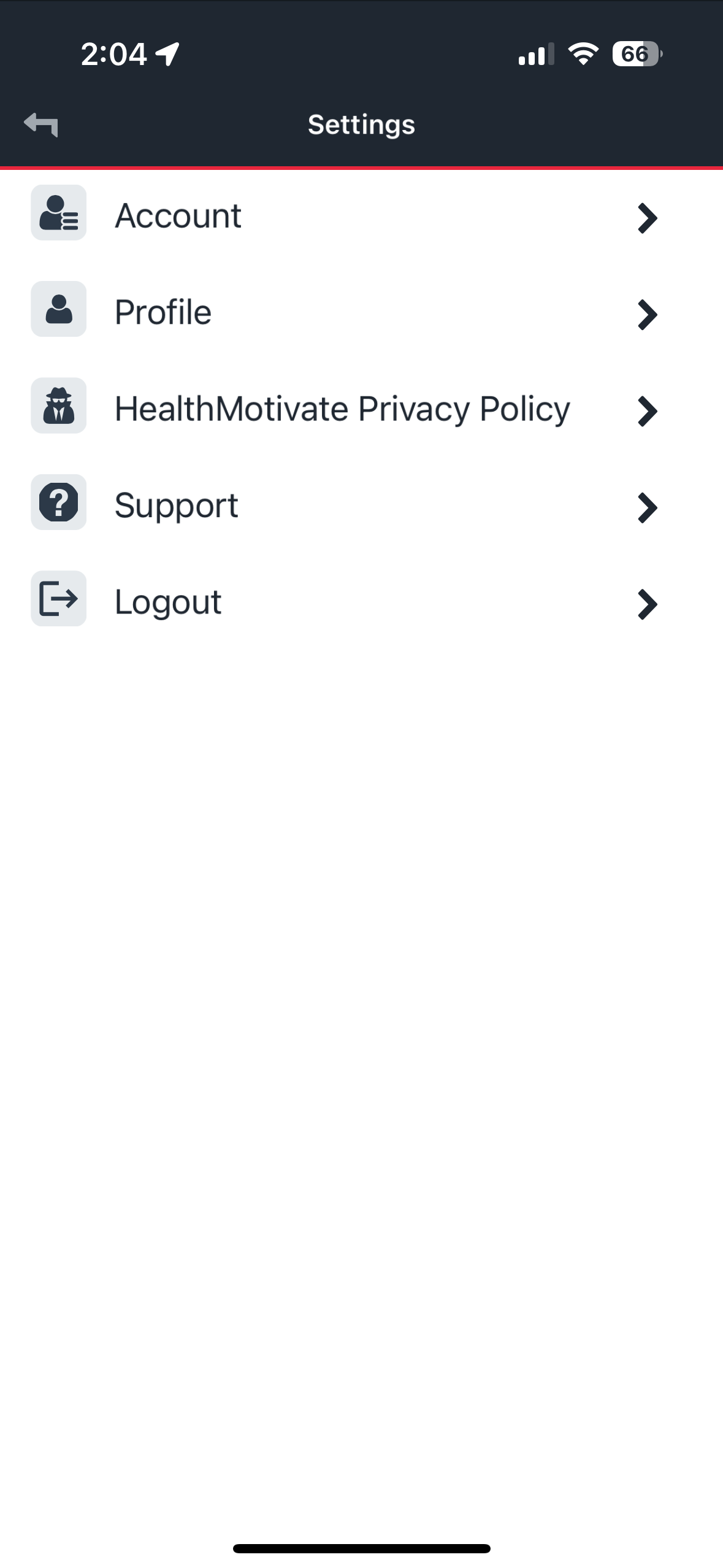 Settings
Once in Settings, tap on "Account."
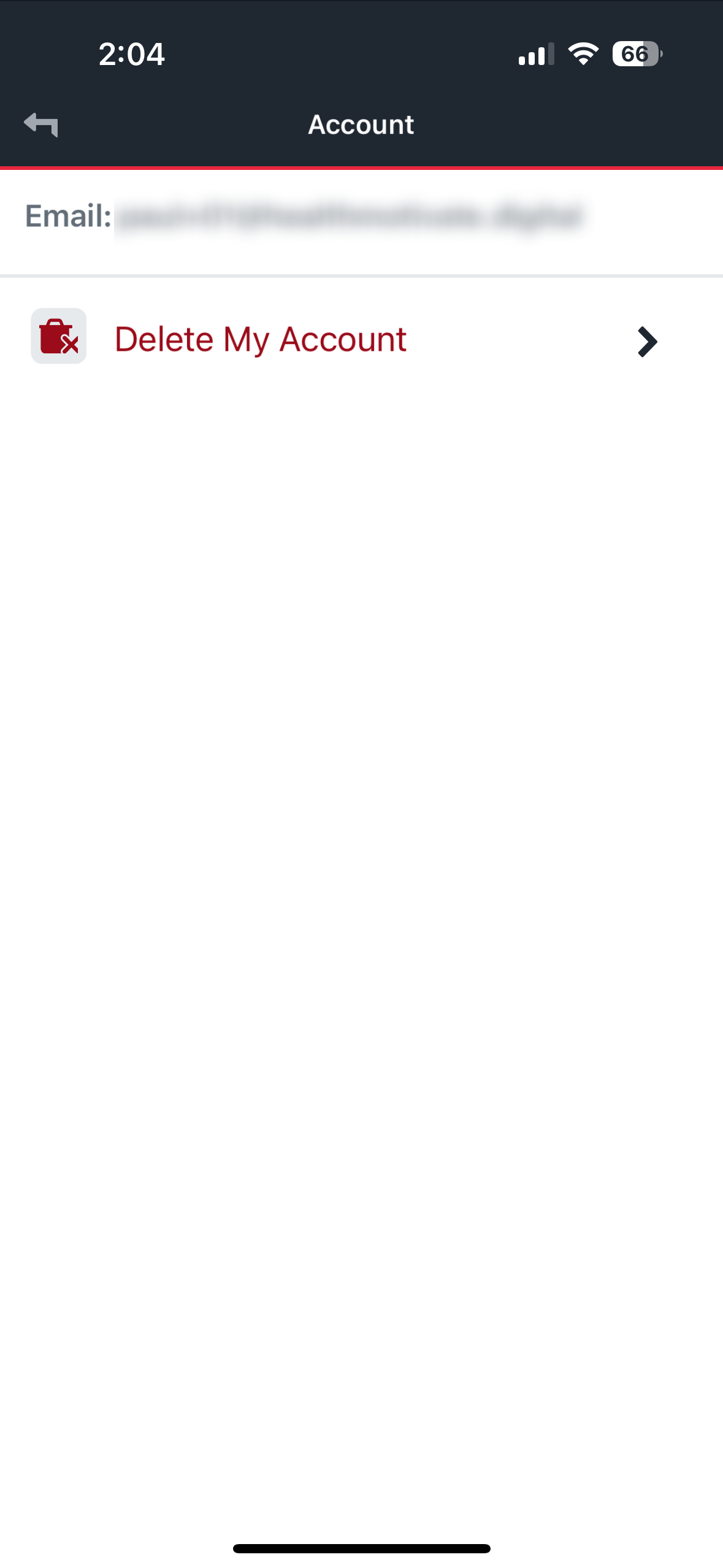 Account settings
Tap "Delete My Account"
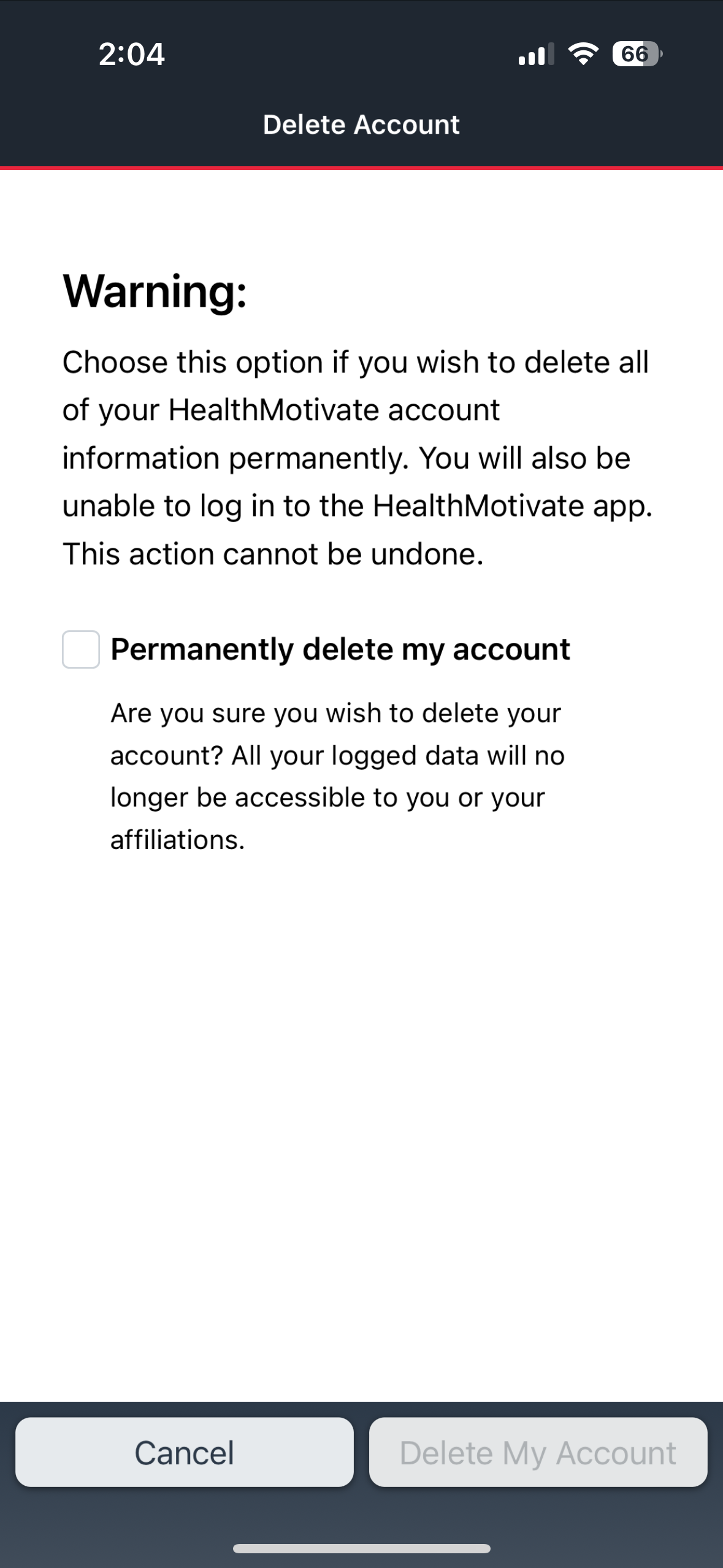 Delete account
Tap the checkbox to confirm
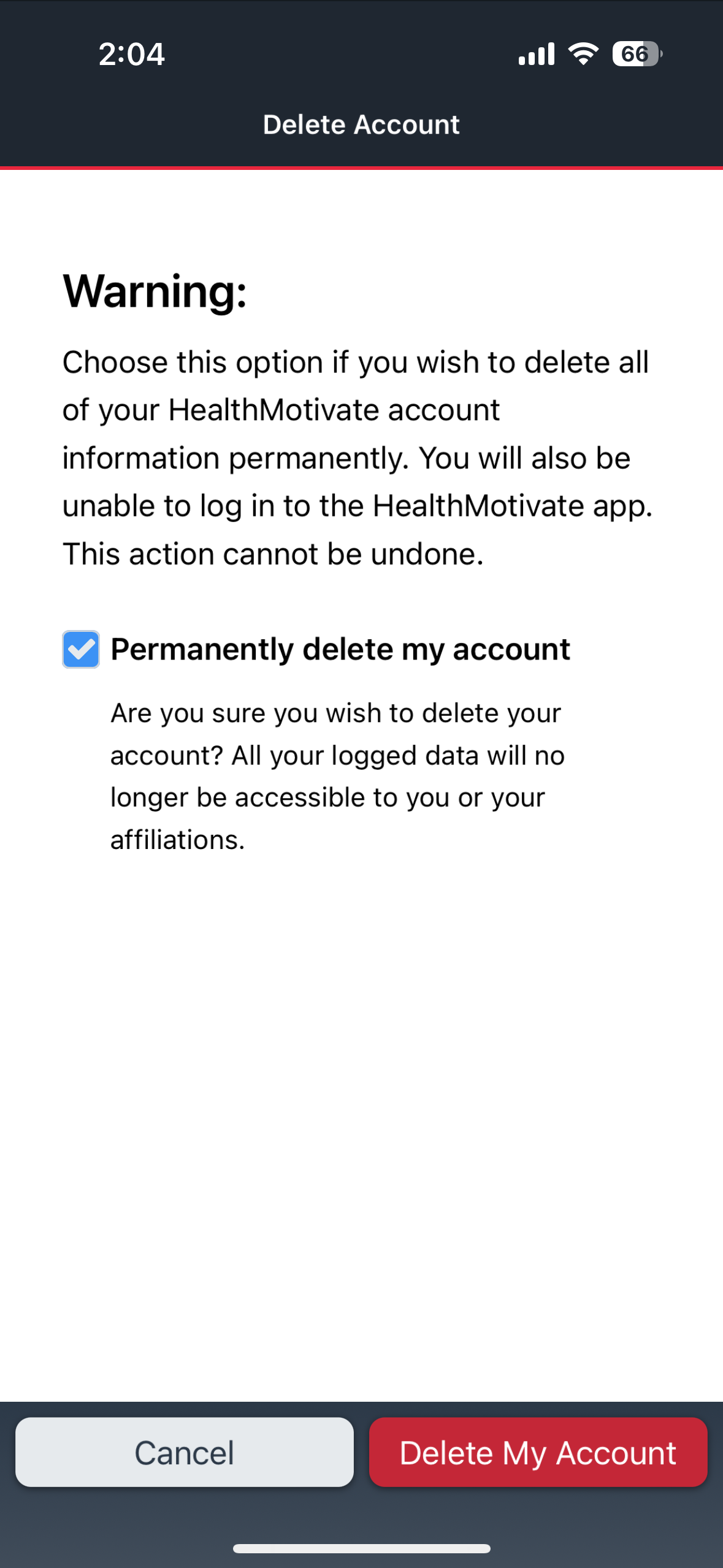 Delete account confirm
Delete your account from a website link
You may also use the following link to delete your account.
Enter the credentials of the account you wish to delete, and click "send."
https://profile.healthmotivate.digital/index.html?flow=deleteAccount
Was this article helpful?