
Step 6: Things to know
Things you should know when using the app
Last updated: May 7, 2026
Step 6: Things to know
Messaging
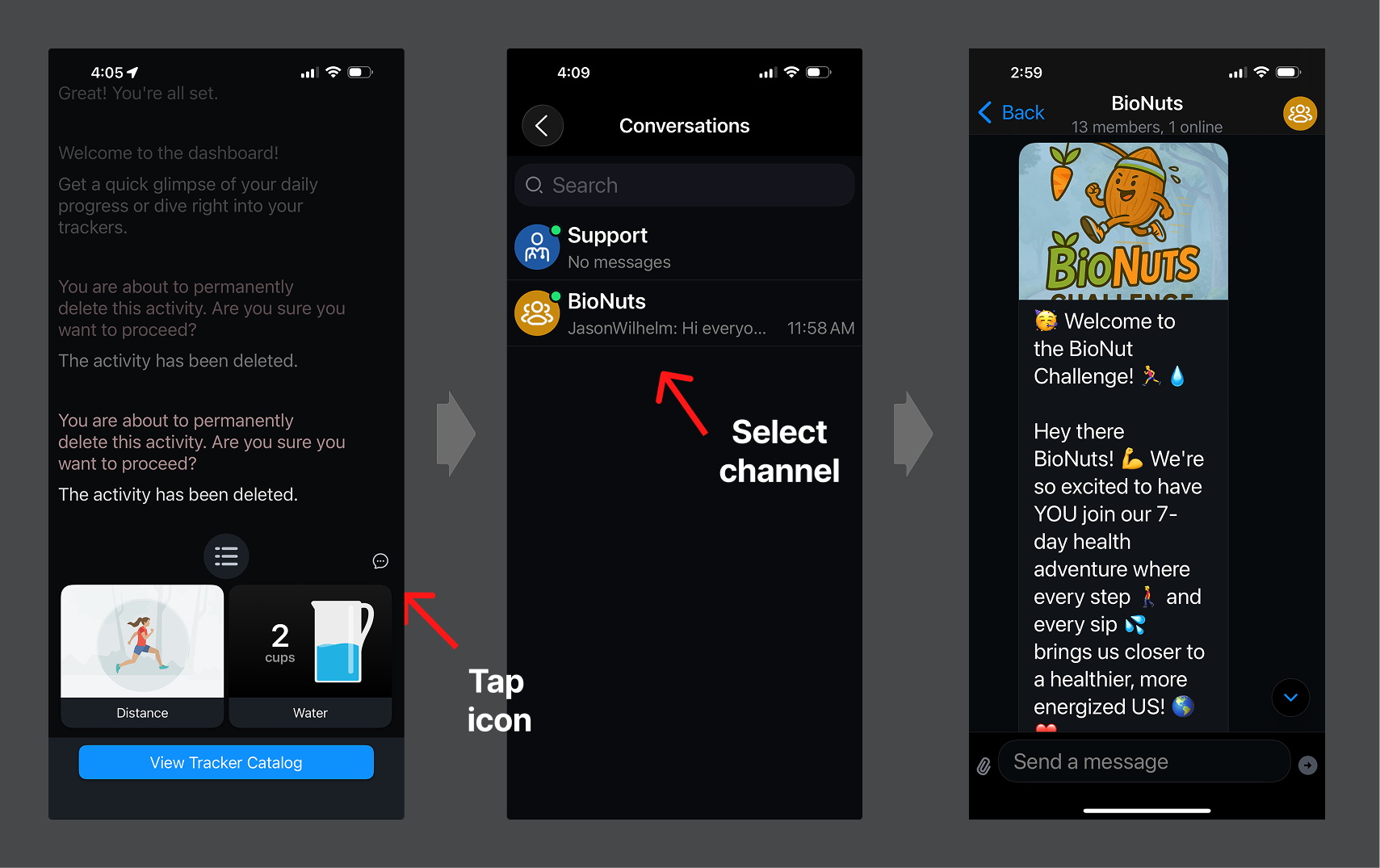
To find your message conversations list, tap the chat icon on the right side of the navigation bar.
Once in the conversations list, choose a channel in which to interact.
Once in the channel, you can interact with messages related to your cohort.
Logging missed activities
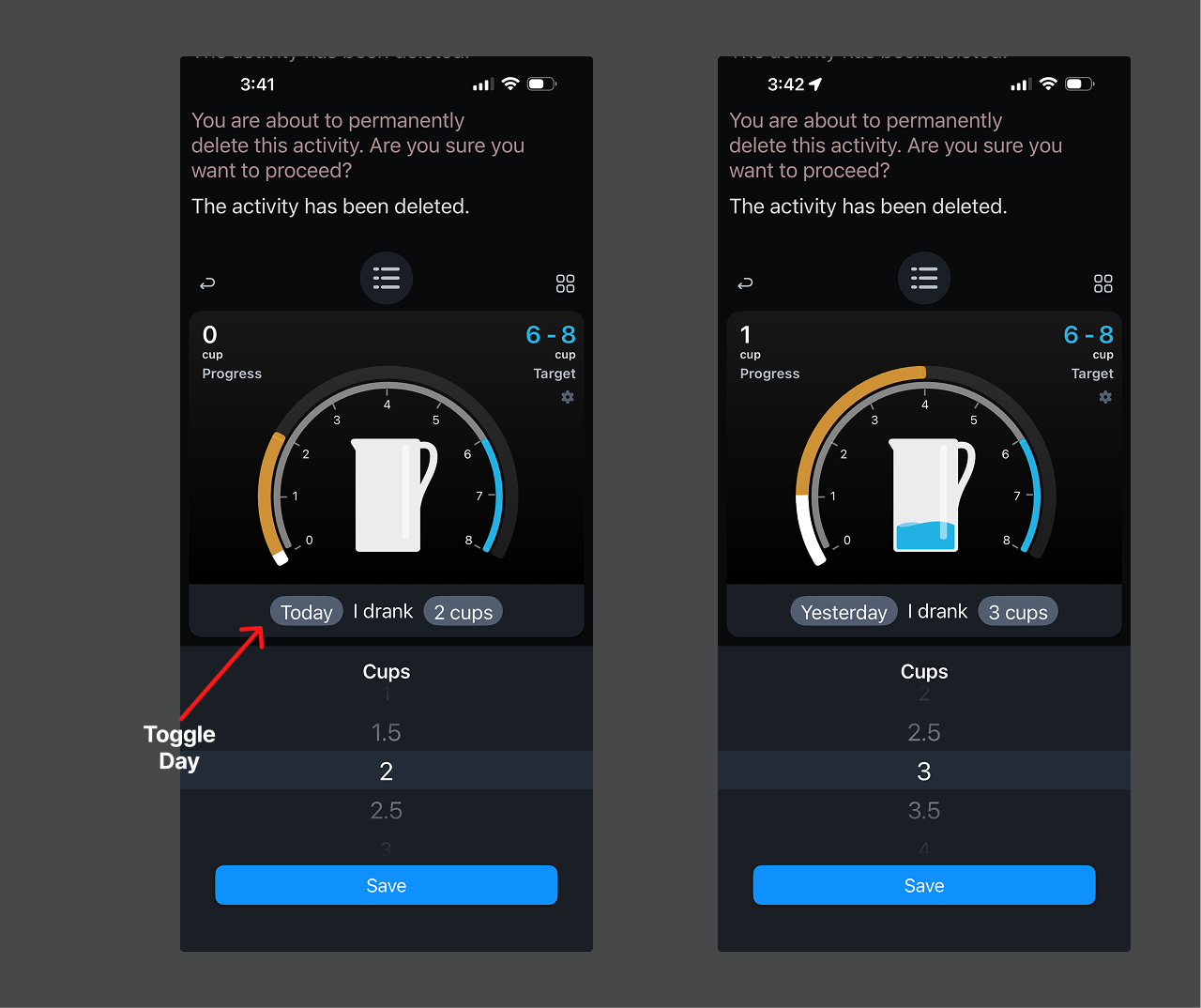
If you forget to log an activity, you can tap the word "Today" to switch it to log the activity "Yesterday."
Inspect and/or delete logged data
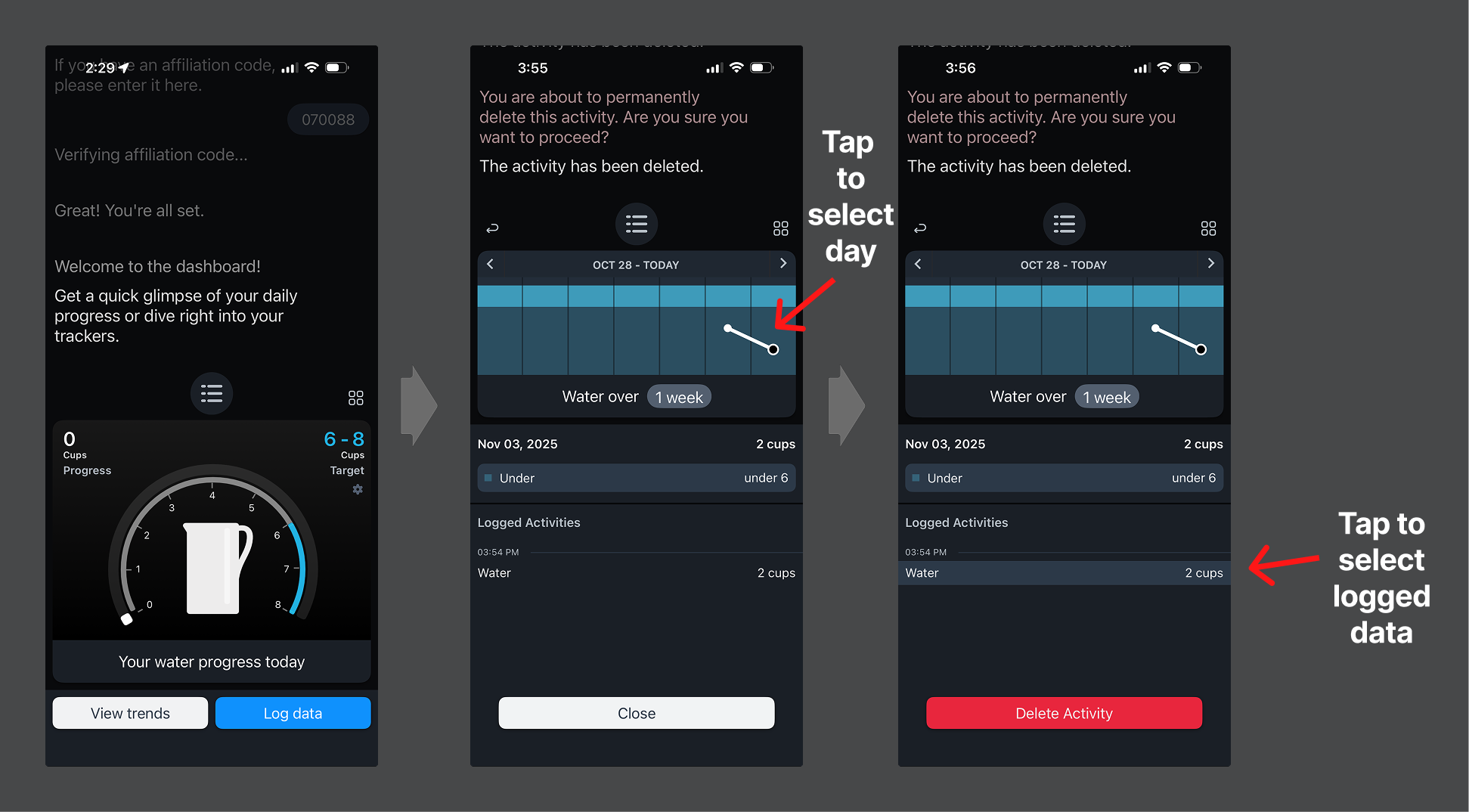
When viewing the activity history, you may tap on a chart plot to select a specific day. There you can see all the activities logged that day. To delete an activity, look for it in the "Logged Activities" list and select the activity, then tap the "Delete Activity" button.
Was this article helpful?