
Step 2: Create an account
How to create your account
Last updated: May 7, 2026
Step 2: Create an account
To follow these instructions, you must have completed [Step 1: Download The App](/app/guides/getting-started/step-1-download-the-app).
Follow the prompts to create an account
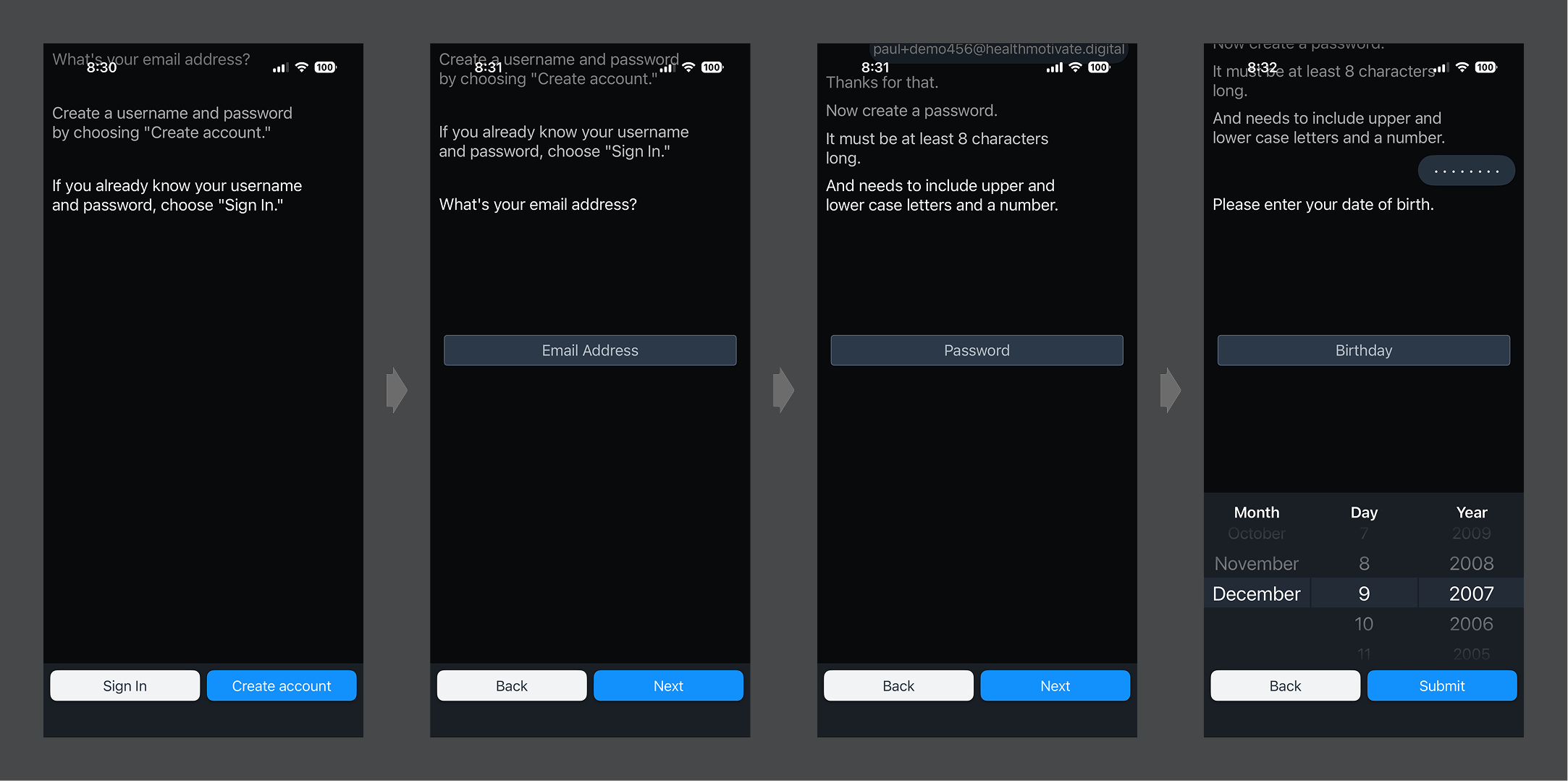
- Choose “Create account”
- Enter your email address, then tap "Next." (Ensure it is the same address used by your care team)
- Enter a password (Ensure it meets the requirements stated by the assistant)
- Enter your date of birth, then tap "Submit." (Users must be 18 years old to create an account.)
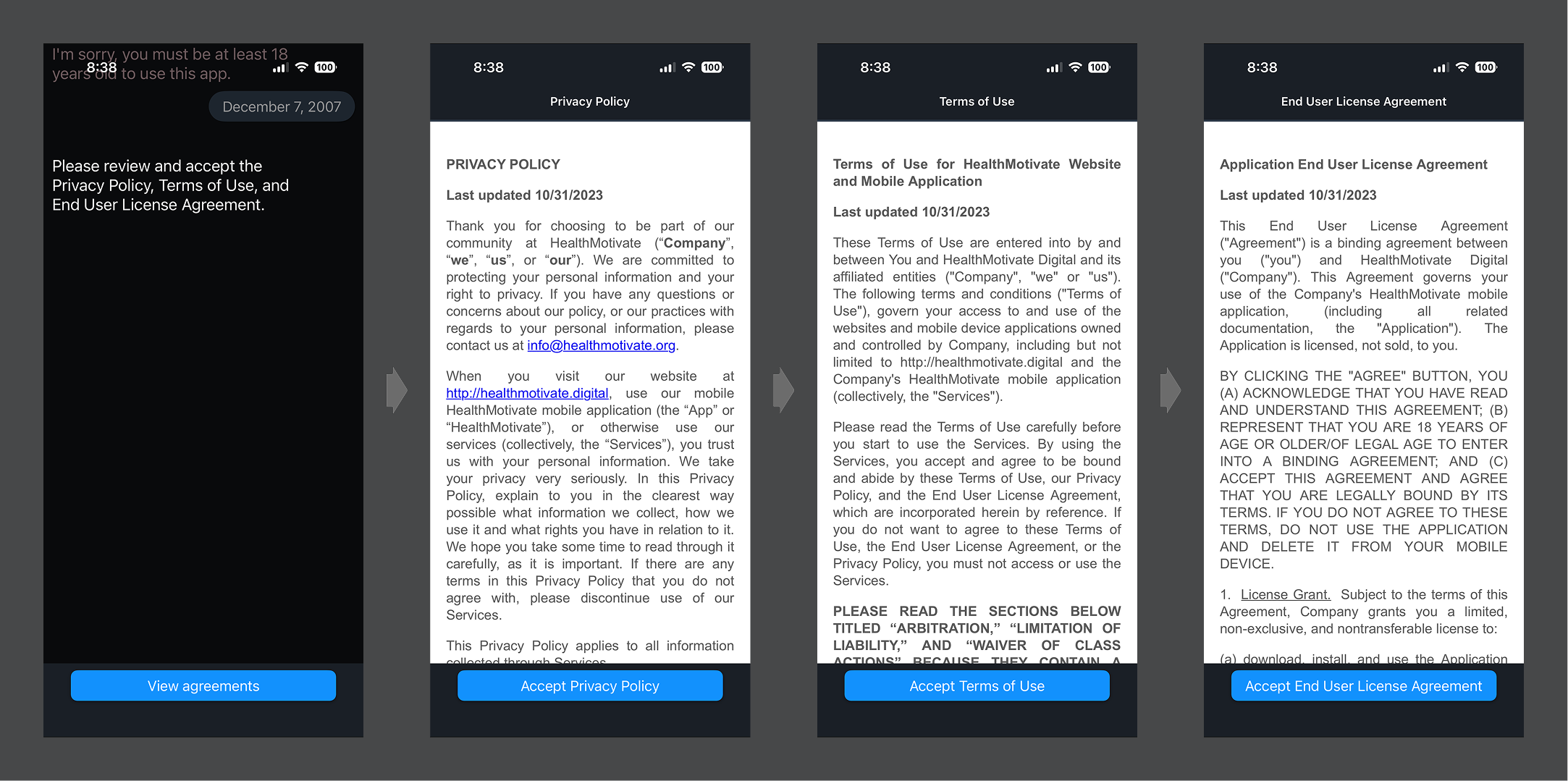
Next, review and accept the privacy and usage policies.
Was this article helpful?